
Tint any window or your whole display, follow the line you are reading, and have text read aloud, spell-checked or taken down from your voice — built for dyslexia, visual stress and eye strain.
Get it from the Microsoft Store How it helps£19.99 once · free trial · Windows 10 & 11 · no account, no subscription
Three difficulties come up again and again. WinShades has an answer to each.
A bright white background is tiring, and for some people the text seems to shimmer or shift after a few minutes.
→ Tint the window, or the whole screenThe eye slips to the wrong line, you re-read the same one, and the sentence stops making sense.
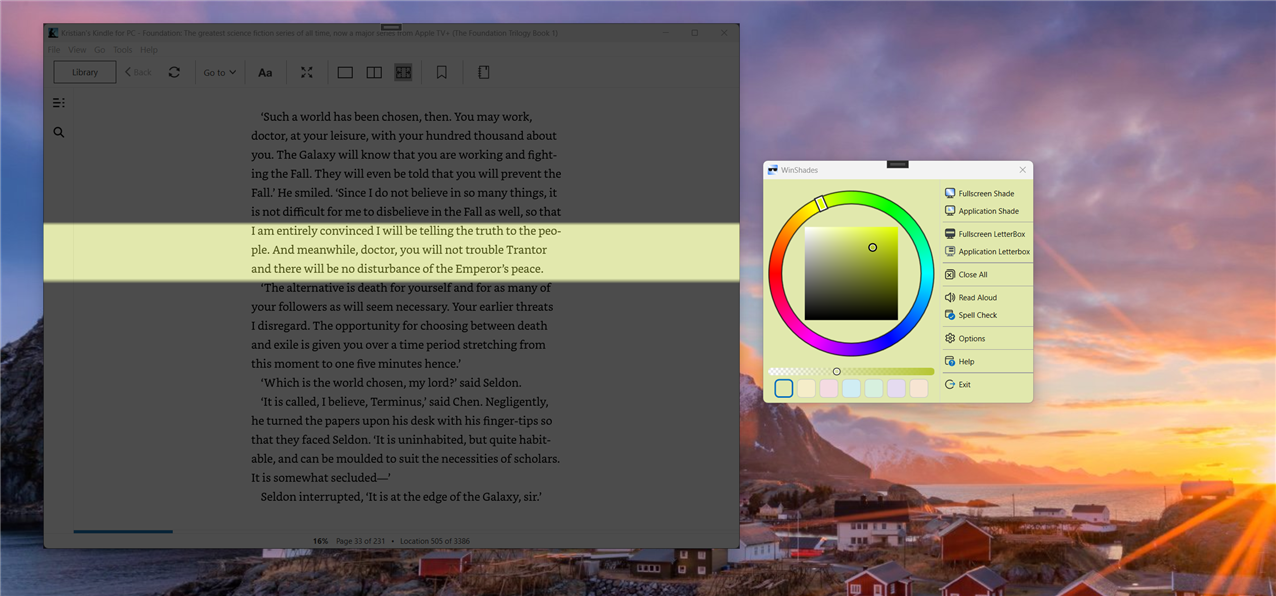
→ A reading ruler, following the line you are onGetting the words down is effortful, and spotting your own mistakes afterwards is harder still.
→ Dictate it, hear it back, check the spelling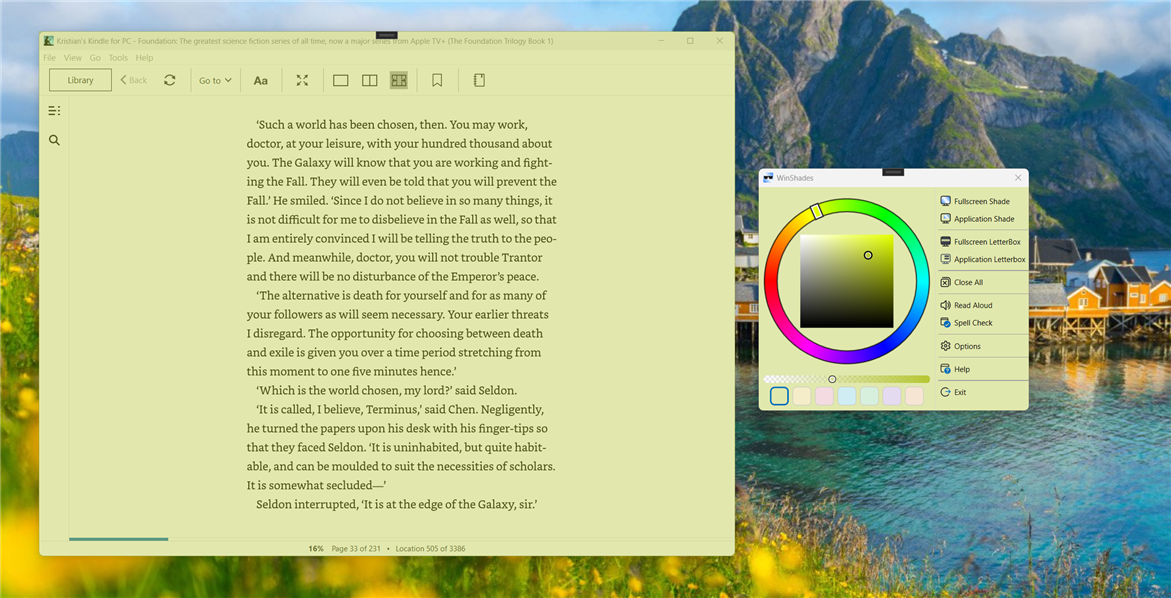
Colour and contrast, on one window or all of them.
Lays a coloured overlay across the whole screen to take the glare off everything at once.
Tints one application window — a browser, a document, an e‑reader — while the rest of your desktop stays as it was. The overlay follows the window as you move it.
Dims the screen above and below a horizontal band, so there is only one line of text to attend to.
The same reading ruler over a single window. Drag the bars to set how much text you see at a time.
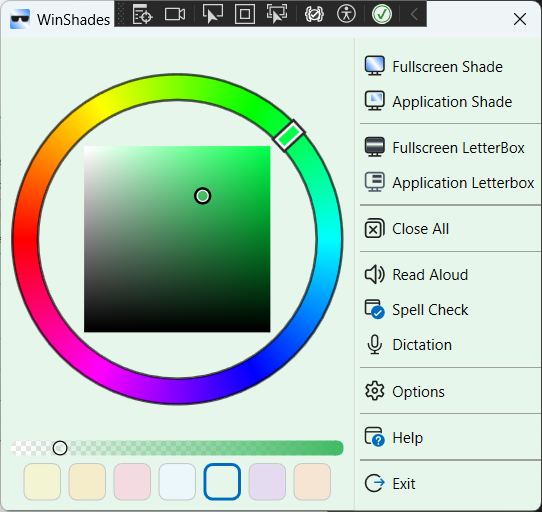
Any colour, at any strength. Seven presets let you switch instantly between the ones that suit you.
Pull in text from any application, then hear it, fix it and send it back.
Select text anywhere and have it read to you in the Windows voice and speed you choose — useful for tired eyes, and for hearing your own writing back.
Speak and watch your words appear, in sixteen language variants. It runs on your own PC, so there is no speech pack to install and no connection needed.
Misspellings are underlined as you type. Right-click for suggestions, or step through them one at a time with a running count.
Checks grammar and word choice as well as spelling, and shows what it would change before you accept it.
Runs in the system tray, works with Windows screen readers, and scales properly on high-resolution and multi-monitor setups.
Dictation in WinShades runs on your own processor, using a speech model that ships inside the app. There is no account, no service behind it, and nothing to sign in to — which also means it works on a train, on a plane, and on a locked-down work network.
It is the reason dictation works here in languages Windows often cannot manage on a given PC: there is no speech pack to be quietly missing.
One exception, stated plainly: Proofread sends the text you are checking to the LanguageTool service for grammar analysis. Everything else — tinting, reading aloud, spell check and dictation — happens entirely on your machine.
English (United States, United Kingdom, Australia and Canada), French (France and Canada), German, Spanish (Spain and Mexico), Italian, Dutch, Portuguese (Portugal and Brazil), Polish, Russian and Norwegian.
Dictation and proofreading work in every one of them. Spell check uses the dictionaries Windows has installed on your PC, and Text Tools tells you plainly when one is missing rather than quietly doing nothing. WinShades starts in whatever language Windows is set to.
Pre-loaded as presets — try them as starting points and adjust to find what works best for you.
Honest guides to what helps, including the free options built into Windows.
What a tint does, what the research does and does not support, and how to find a colour that suits you.
Night light, colour filters and monitor settings compared — and when the free options are enough.
Why Windows voice typing needs the internet, what voice access does instead, and how to dictate privately.
Narrator, Edge, Word and Immersive Reader — which to use, and the gap they all leave.
£19.99, paid once, through the Microsoft Store. There is no subscription and no account to create. A free trial is available so you can find out whether a tint helps you before paying for anything.
No, and be wary of anything that says it will. Dyslexia is a difference in how written language is processed, and tinting a page does not treat it. What a tint may do is make reading physically more comfortable, and the reading tools take some of the effort out of writing. We have written up what the evidence actually shows.
Only for Proofread, which sends your text to LanguageTool for grammar checking. Tinting, reading rulers, read aloud, spell check and dictation all work with no connection at all.
Windows 10 and Windows 11, 64-bit. It installs from the Microsoft Store and updates itself.
Yes. A signed package is available for deployment through Intune or similar tools, for workplaces that cannot buy from the Store. Email me to arrange it.
£19.99 once, with a free trial. No subscription, no account.
Get it from the Microsoft StoreWindows 10 or Windows 11, 64-bit · about 230 MB, most of which is the offline speech model